Your words, in another language.
Type a word, phrase, or sentence. Choose your languages and get a translation in one straightforward flow.
Filipino⇄Japanese
Translate words, phrases, and sentences with ease. Quick Translate makes communication across languages simpler, faster, and more accessible.
Android app · Version 1.0 · 4.43 MB
SMALL APP. EVERYDAY POSSIBILITIES.
From a new phrase to a familiar conversation,
keep the words you need within reach.
Type a word, phrase, or sentence. Choose your languages and get a translation in one straightforward flow.
Choose from the app’s language list, including English, Filipino, Japanese, Spanish, and more.
Use Speak result to hear a translation. Speech playback requires available device voices and an internet connection.
Revisit recent translations and bookmarked phrases in your Library, saved on your device.
Choose whether to save translation history and automatically read typed translations aloud in Preferences.
A FEW TAPS. A NEW UNDERSTANDING.
No complicated steps. Just open, type, and translate.
Launch the app on your Android device. A simpler conversation starts here.
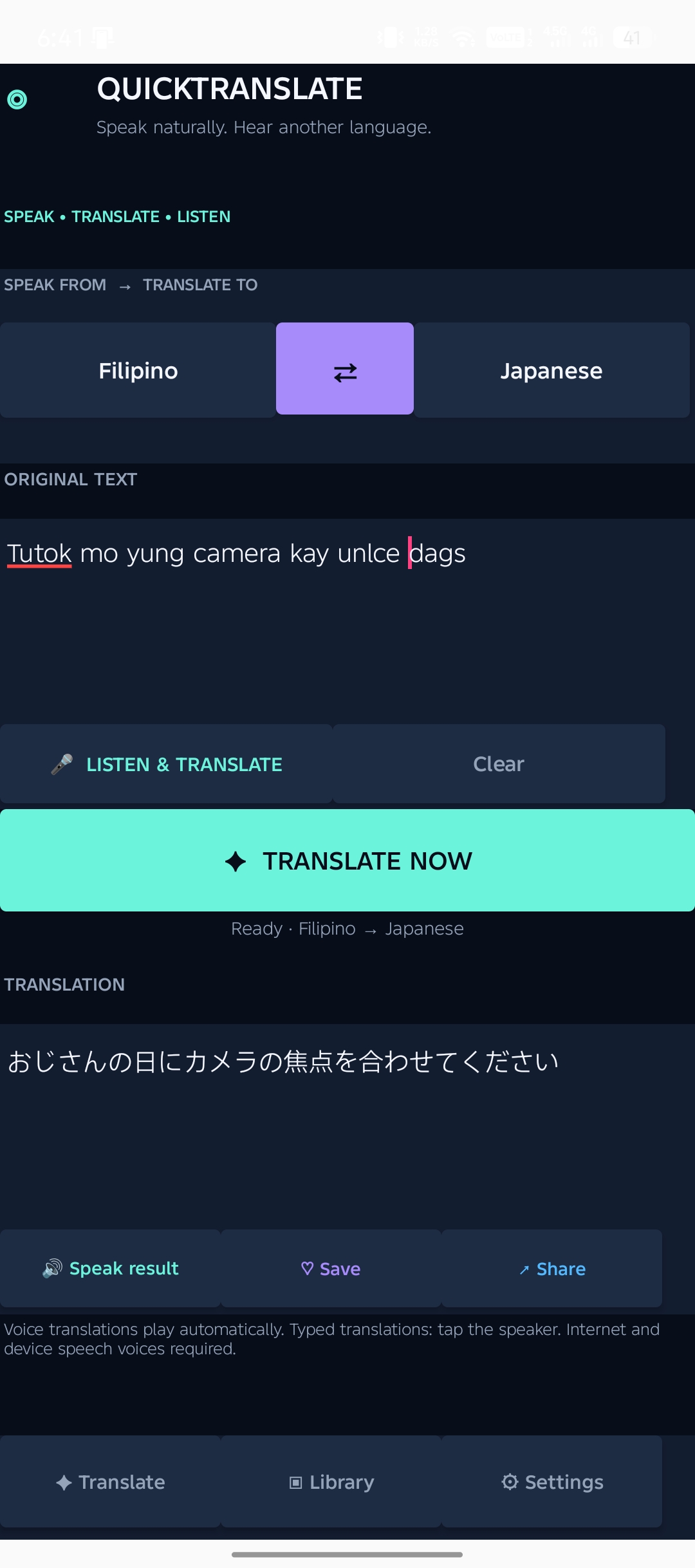
Type your word, phrase, or sentence, then select the source and target languages.
Tap Translate now to see the result. Listen, save, or share it from the app.
Translation requires an internet connection.
TAKE A LOOK INSIDE
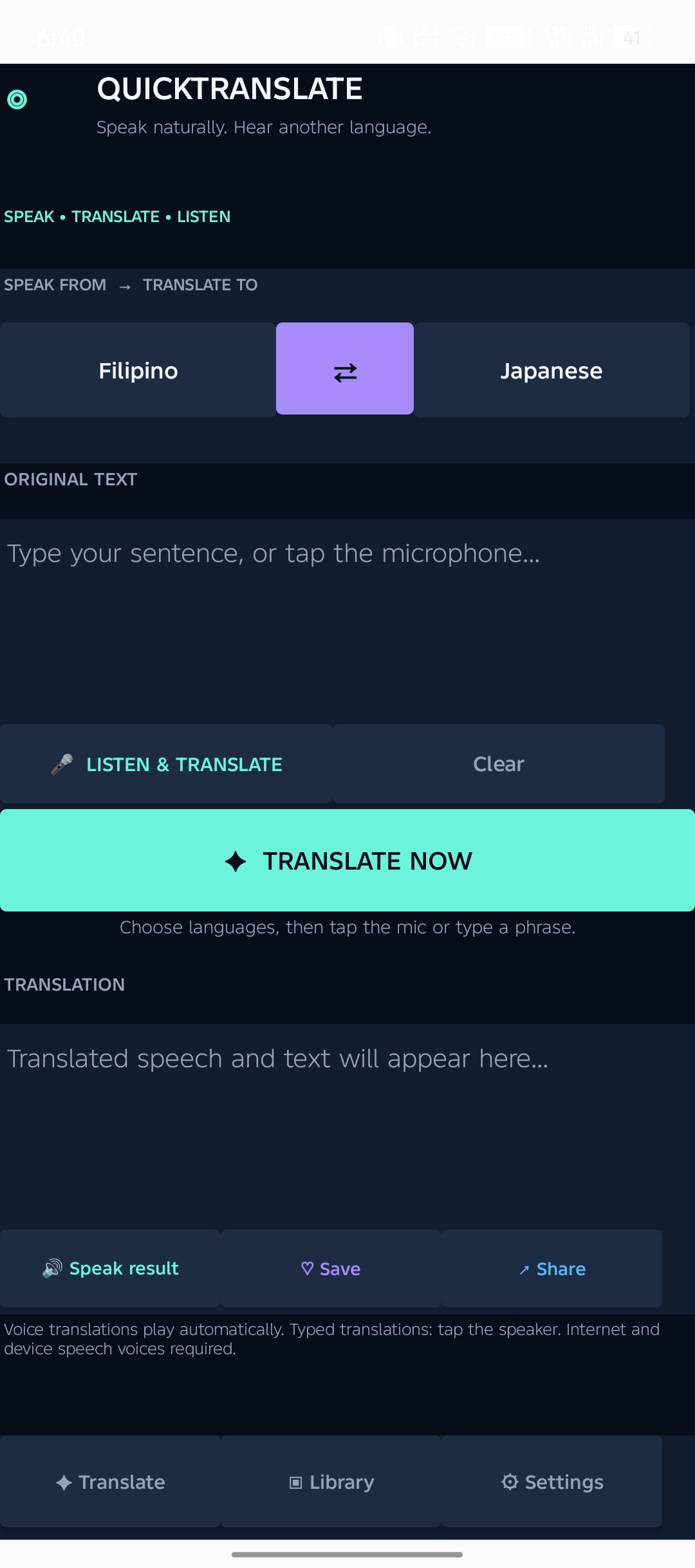
Choose your languages and enter your text.
Read, listen to, save, or share your result.
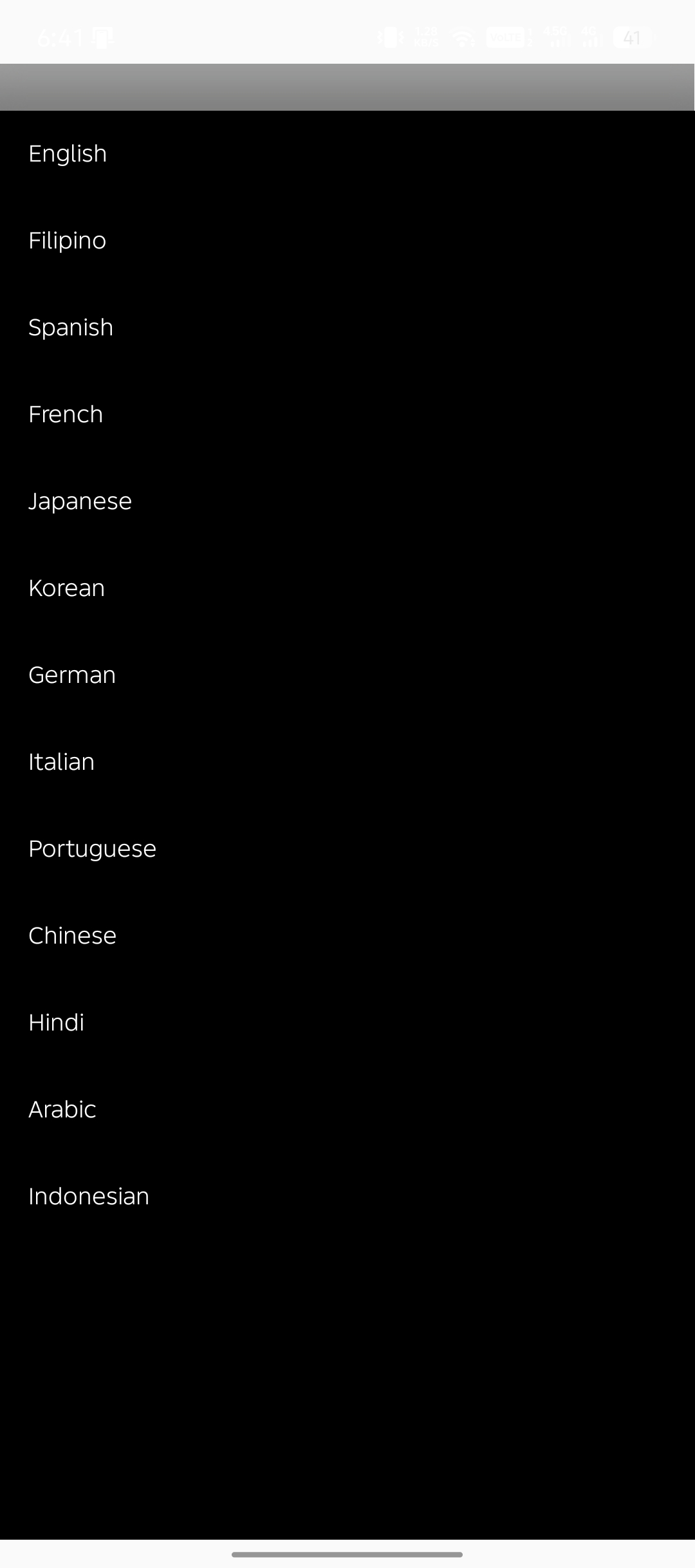
Select from the available language list.
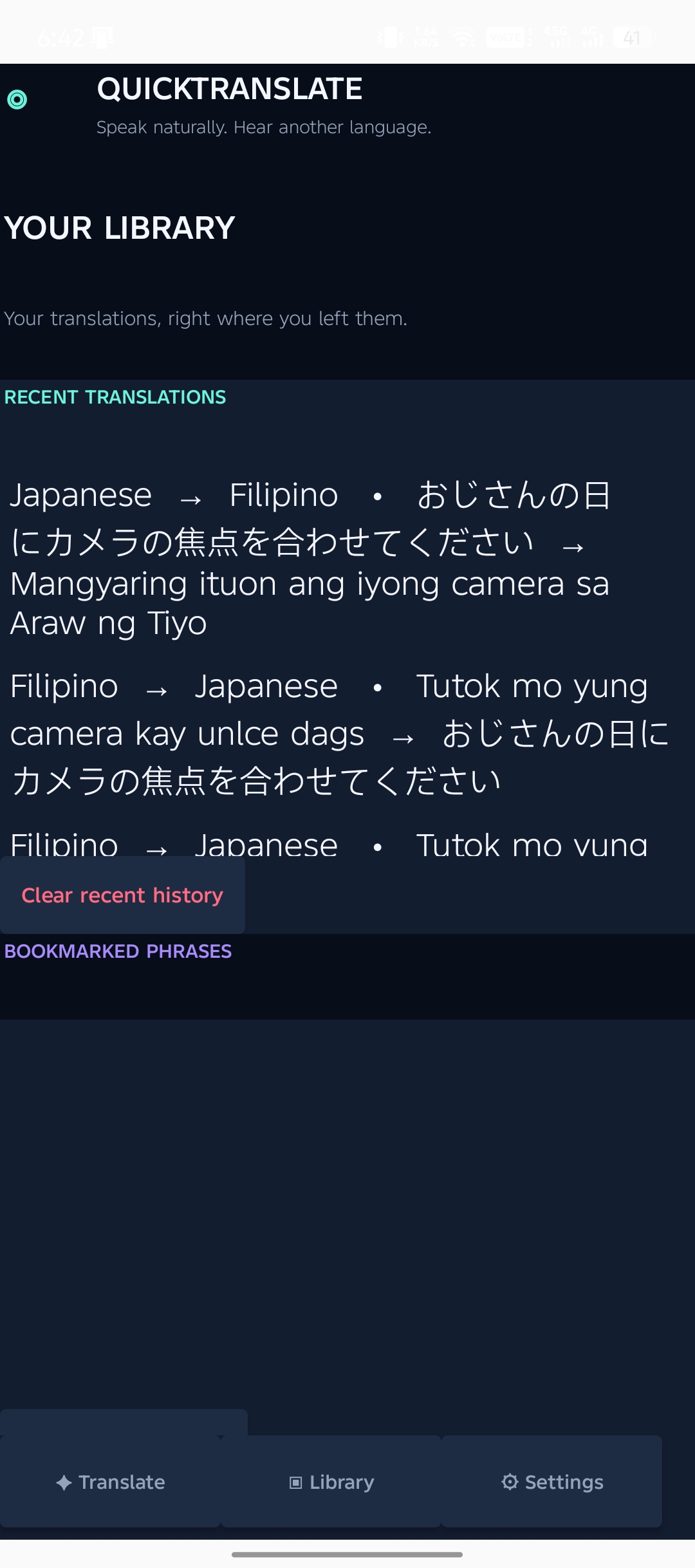
Return to your history and bookmarked phrases.
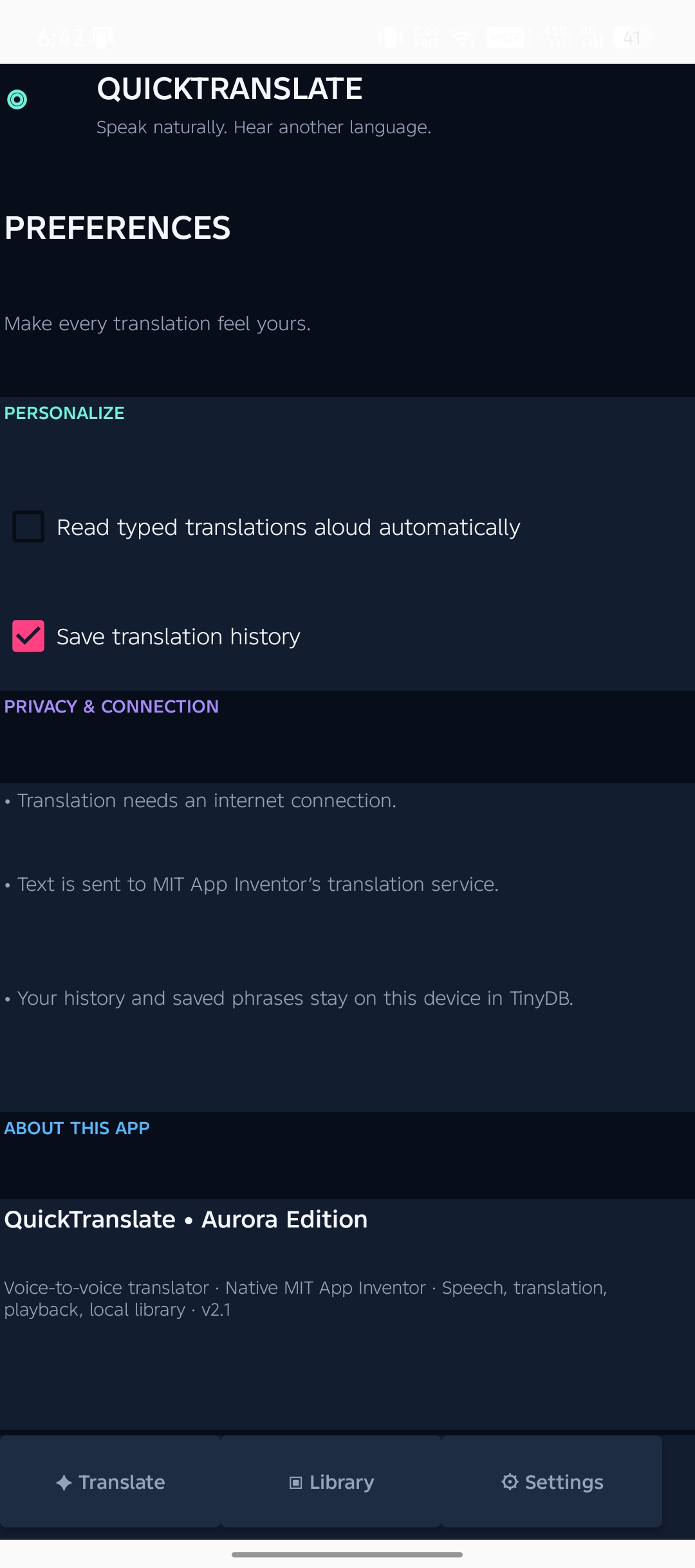
Manage speech playback and translation history.
Actual screenshots from the Quick Translate Android application. Swipe or use the arrows to explore.
BUILT TO BRING WORDS CLOSER
Quick Translate is a mobile application developed to simplify communication between people who use different languages. It provides a convenient way to translate text through a straightforward and accessible interface.
Its purpose is simple: make basic translation more convenient, help people understand unfamiliar text, and bring accessible language tools to a mobile device.
YOUR NEXT CONVERSATION STARTS HERE
Download Quick Translate on your Android device
and make everyday translation easier.
Direct Android download · Internet connection required for translation.
READY FOR YOUR ANDROID
 Download. Install. Translate.
The APK declares Android 4.0 (API 14) as its minimum. Device compatibility has not yet been tested. No verified Play Store listing has been supplied.
Translate text and speech, hear results, and keep useful phrases close.
App icon from the supplied source · Prepared promotional artwork · Actual app screens shown above.